
A welcome that feels like you.
Names, colours, fonts, a favourite photo. Create a separate look for every occasion, or copy one you already love.
 Video Guest Book.
Turn your iPad into a video guest book. For birthdays, weddings, anniversaries — and all the people who make them matter.
Free to download. Three test recordings. Yours to try.

Forty years. A few good stories.
Your words would mean the world.
Make your own in the appWhat’s a memory that still makes you laugh?
For the stories that get better with age.Interactive example · Recording happens in the app
The photos catch the smiles.
This keeps the voices behind them.
A story you’ve never heard. Advice you’ll always remember. That laugh you’d know anywhere. Give your guests a little space to say something, and give yourself a way to keep it.
Your iPad. Your people.
A guest book that feels like you.
Add your names, choose your colours, and give your guests a warm welcome. Personalise the prompts, too.
Stand your iPad somewhere inviting. Guests tap, record and stop. No guest downloads or accounts.
Messages stay on your iPad and are copied to Photos, ready to watch, share and back up in your own way.
Thoughtful details for you.
A simple welcome for them.
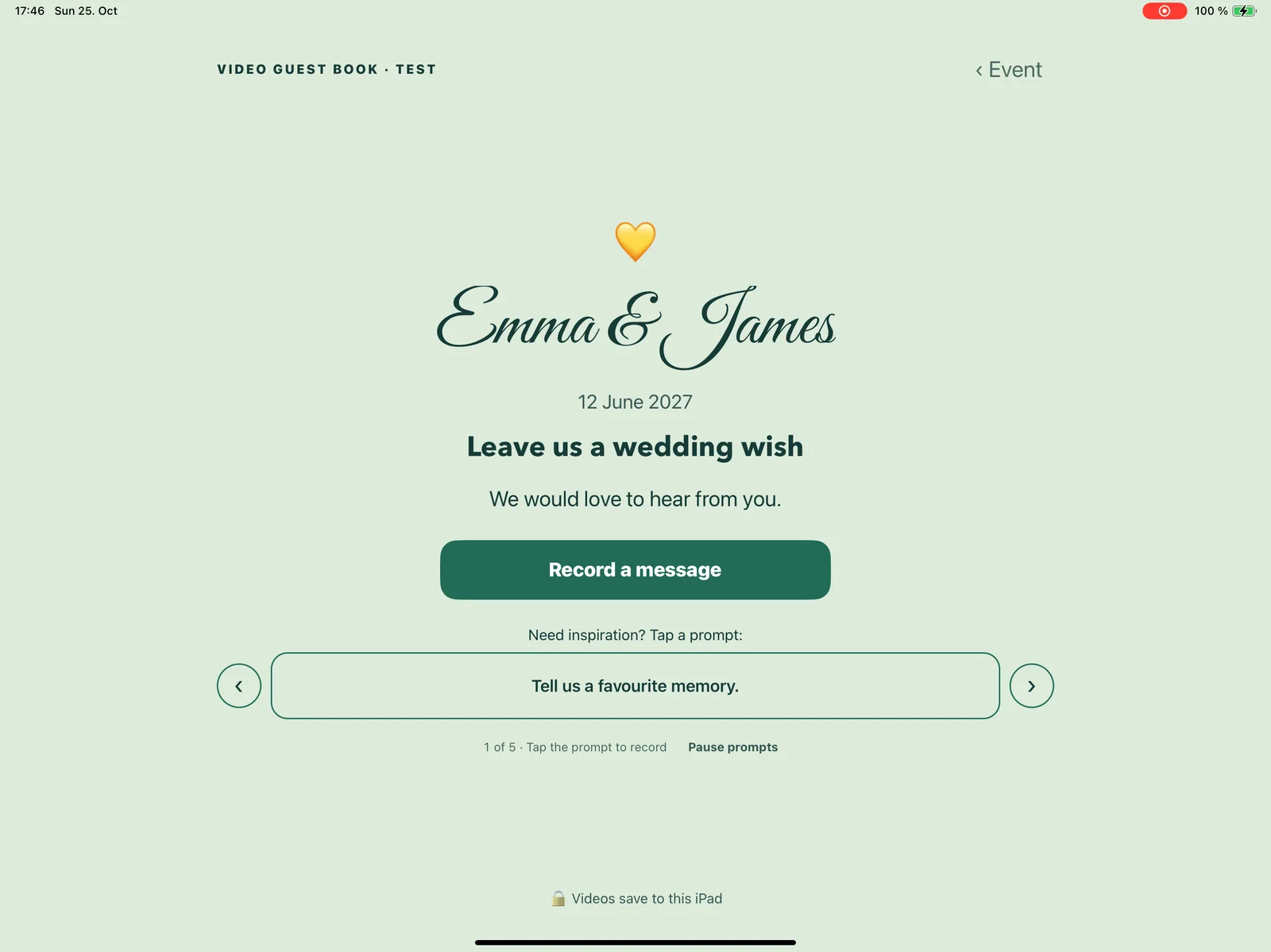
Actual iPad app · Example celebration
Names, colours, fonts, a favourite photo. Create a separate look for every occasion, or copy one you already love.
A favourite memory, a wish, a little advice. Conversation starters help guests find the words. You can write your own.
Check your camera and sound before the party. Protect host settings with a PIN, then prepare Guided Access with the device lock guide.
Guest videos stay on the device and are copied to Photos. No guest accounts. No developer-operated video cloud. Just the people you love, ready for another watch.
Photos copies may sync through your own Apple or iCloud settings. Check your saved recordings and keep your own backups.
Download free, make it your own, and try up to three recordings. When you’re ready, one Lifetime Unlock opens up unlimited guest recordings and future events.
One in-app purchase. No subscription. Available device storage still applies. See Apple’s local price in the app before you buy.
Try Video Guest Book freeFor iPad · iPadOS 16.4 or later
Next year’s birthday.
Your silver anniversary.
The whole family,
together again.
Still have a question?
We’re here to help
An iPad running iPadOS 16.4 or later, enough free storage and a place to stand it. The built-in camera and microphone work with the app. A stand and external microphone are optional extras, not included with the app. Test your complete setup before guests arrive.
Yes. Download free, personalise your event and make up to three test recordings. Play them back and check the copies in Photos before deciding whether to unlock.
No subscription and no new charge for each event. One Lifetime Unlock in-app purchase enables unlimited guest recordings and future events, subject to available device storage. The app shows Apple’s local price before you buy and includes Restore Purchases.
Messages are saved on your iPad and copied to its Photos library. Video Guest Book does not upload guest videos to a developer-operated cloud. Copies in Photos may sync through your own Apple or iCloud settings. Always check and back up important recordings.
No. Everyone records on the host’s iPad. They choose a prompt if they want one, tap to record, then stop when they are done. The guest book returns to the welcome screen for the next person.
Not at all. Make it yours for a birthday, anniversary, family reunion, retirement or any gathering worth remembering. Create separate events, copy a favourite style and archive finished celebrations.